
Notion vs. Obsidian for a Small Team’s Documentation: Which Actually Scales

Evaluating Notion vs Obsidian for small team documentation requires balancing immediate ease of use against long-term data security and maintenance overhead. Small engineering and operations teams must establish clear documentation workflows early. Choosing wrong leads to fragmented knowledge bases, slow search query execution, and high migration costs as headcount scales.
Buy Now If:
- Your team requires real-time multiplayer editing and built-in database views for project management.
- You want non-technical team members to create structured wiki pages without learning markup code.
Wait / Skip If:
- Your team prioritizes strict local data control, end-to-end encryption, and plain-text file durability.
- You lack a centralized system administrator to prune messy relational databases as pages proliferate.
Notion for Hybrid Teams
Notion delivers superior native collaboration, flexible relational databases, and effortless onboarding for non-technical team members. It operates seamlessly on Web, macOS, Windows, iOS, and Android platforms.
Evaluating Notion vs Obsidian for Small Team Documentation
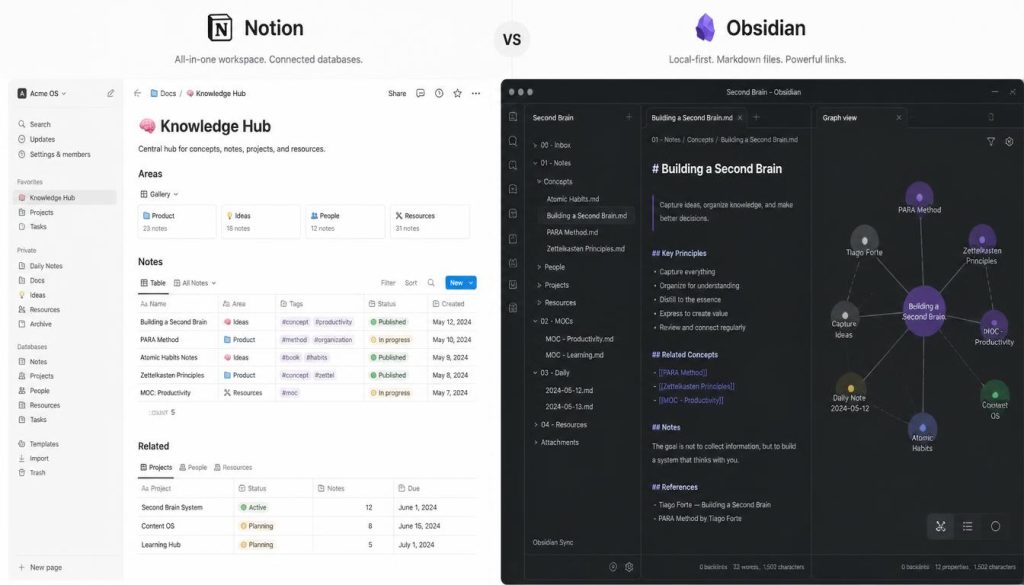
Observed usage patterns indicate that team size drastically alters knowledge management requirements. Notion relies on a cloud-hosted block architecture. This allows users to construct nested documents, task boards, and dynamic databases without custom code. Teams can consult official Notion developer documentation when building automated workflows via webhook integrations.
Conversely, Obsidian utilizes a local-first architecture (storing files directly on hardware rather than remote cloud servers). Notes are saved as local Markdown (a lightweight markup language with plain text formatting syntax) files. This structure prevents vendor lock-in and enables lightning-fast local search indexed by quick caching. However, maintaining sync requires utilizing paid services like Obsidian Sync protocols or manual repository syncing.
Spec Comparison and Scalability Matrix
When comparing Notion vs Obsidian for small team documentation, structural differences define operating limits. Notion handles multi-user editing with granular permissions. Obsidian excels in speed, offline access, and bidirectional link visualization.
| Software / Tool | Free vs Paid Tier | Key Features | Resource Usage | Supported OS |
|---|---|---|---|---|
| Notion | Free tier; Team plans start at $8/user/mo | Relational databases, real-time editing, nested wikis | Moderate (browser/Electron memory overhead) | macOS, Windows, iOS, Android, Web |
| Obsidian | Free for personal; $50/user/yr for commercial | Local Markdown, canvas view, graph view, plugin ecosystem | Low (lightweight local client execution) | macOS, Windows, Linux, iOS, Android |
Granular Feature Analysis and Trade-Offs
Choosing Notion vs Obsidian for small team documentation involves distinct operational trade-offs. Notion simplifies real-time co-authoring and operational dashboards. However, as workspace databases expand past thousands of pages, search response times degrade noticeably across desktop applications.
Notion Strengths
- Native real-time co-authoring with user presence tracking.
- Versatile database views including Kanban, calendar, and table layouts.
- Low learning curve for non-technical business teams.
Notion Limitations
- Requires stable internet access for primary functionality.
- Database query performance slows down as page counts exceed tens of thousands.
Obsidian offers unparalleled performance and customizability via its community plugin library. Small technical teams can maintain documentation using git version control standards for full change tracking. Yet, real-time concurrent editing remains complex without specialized third-party extension setups.
Obsidian Strengths
- Zero vendor lock-in with standard plain-text file storage.
- Instant offline file load speeds and deep internal linking.
- Robust network graph mapping for concept connections.
Obsidian Limitations
- Requires commercial licenses for business environments.
- Collaboration demands manual setup or dedicated sync subscriptions.
Data Ownership, Sync, and Security Controls
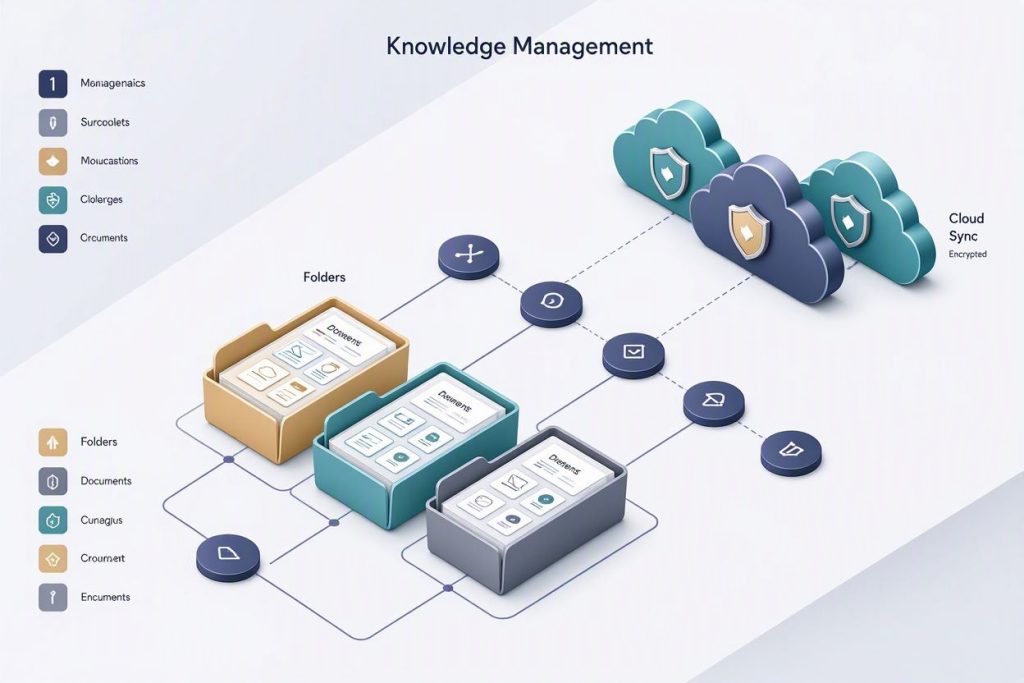
Data governance forms the foundation of modern technical documentation strategies. Notion encrypts data at rest and in transit, but holding tenant keys on cloud servers exposes risks for privacy-sensitive enterprises.
Obsidian gives teams full control over encryption key generation when paired with native end-to-end cloud vaults. Evaluating Notion vs Obsidian for small team documentation requires weighing compliance obligations against collaboration convenience.
Key Takeaways
- Notion excels in cross-departmental collaboration, flexible database creation, and immediate team onboarding.
- Obsidian delivers superior local speed, data ownership, and offline resilience for technical engineering groups.
- Scaling Notion requires strict database pruning, while scaling Obsidian requires disciplined file structure standards.
- Hybrid teams typically choose Notion for operational docs and Obsidian for isolated technical specifications.
Final Architectural Recommendation
For most growing companies, Notion provides the fastest path to unified cross-functional documentation without administrative burden.
One-Line Verdict: Notion remains the optimal scaling solution for general team collaboration, while Obsidian wins for technical teams prioritizing speed, privacy, and plain-text permanence.
Value-for-Money Score: 8.6 / 10