
Zoom vs. Google Meet for a 10-Person Remote Team: The Real Comparison

Evaluating video conferencing tools requires looking closely at daily operational friction. Choosing between Zoom vs Google Meet for a 10-person remote team often comes down to ecosystem integration versus standalone communication features. Small teams must balance licensing costs against video stability and administrative overhead.
Buy Now If:
- Your team requires advanced screen sharing, breakout rooms, and interactive whiteboards.
- External client calls make up more than half of your daily meeting schedule.
Wait / Skip If:
- Your team already relies heavily on Google Workspace apps like Gmail and Google Calendar.
- You want zero software installation requirements for guests and internal team members.
Zoom vs Google Meet for a 10-Person Remote Team: Core Architecture and Pricing
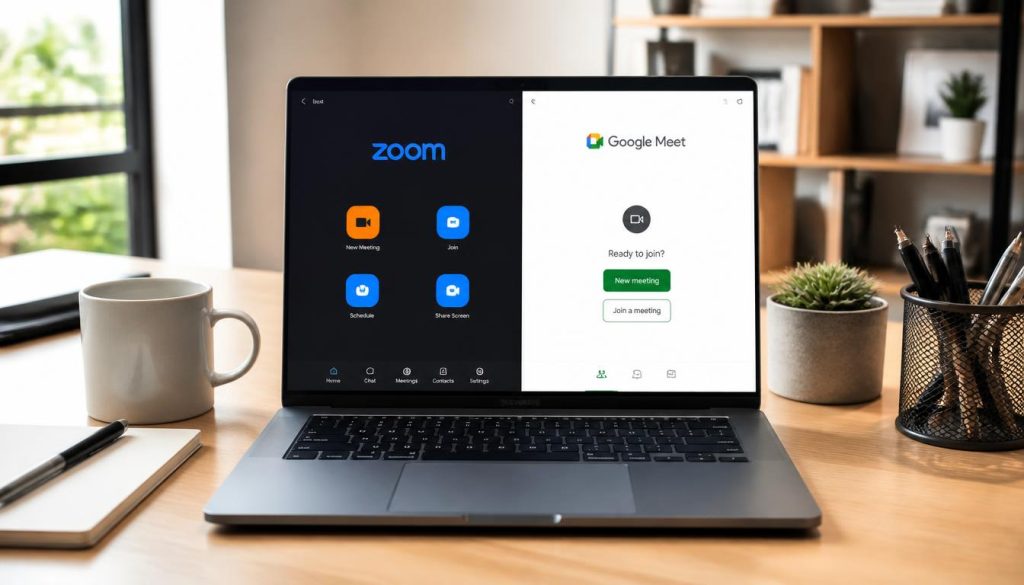
Google Meet provides browser-native video conferencing, whereas Zoom relies primarily on a installed desktop client. Understanding how these tools function helps teams choose the right setup for daily work.
Google Meet
Google Meet delivers seamless browser-based operation without client software downloads. It connects directly with Google Workspace subscriptions to lower total operational costs for small teams.
Google Meet runs inside modern web browsers using WebRTC (Web Real-Time Communication, an open standard for browser-based video). It requires no client app installation. Zoom uses a separate desktop program that manages frame rendering directly on host operating systems.
When analyzing Zoom vs Google Meet for a 10-person remote team, financial math depends on existing software. Google Workspace Business Starter costs roughly $6 per user monthly. It includes custom email hosting alongside Google Meet. Zoom Workplace Pro costs around $15 per user monthly for standalone meeting tools.
| Software / Tool | Free vs Paid Tier | Key Features | Resource Usage | Supported OS |
|---|---|---|---|---|
| Zoom Workplace Pro | Free 40-min limit; Paid $15/user/mo | Breakout rooms, cloud recording, multi-sharing | Moderate CPU, optimized RAM | Windows, macOS, Linux, iOS, Android |
| Google Meet (Workspace) | Free 60-min limit; Paid $6/user/mo | Direct Calendar links, live captions, noise cancellation | High browser RAM usage | Web browsers, iOS, Android |
Feature Set and Meeting Controls for Small Teams
Zoom offers deep administrative controls over audio routing and participant permissions. Meeting hosts can adjust individual microphone levels and lock screen sharing defaults across the organization.
Google Meet simplifies collaboration through direct links inside calendar invitations. However, advanced feature customization remains limited compared to dedicated meeting platforms. Understanding the practical limits of Zoom vs Google Meet for a 10-person remote team helps prevent daily operational friction.
Zoom Strengths
- Superior video compression under low network bandwidth.
- Advanced annotation and simultaneous screen sharing options.
Zoom Limitations
- Requires client software updates for full feature access.
- Higher standalone per-user licensing costs.
Google Meet Strengths
- Native browser operation with zero installation needed.
- Bundled directly into Google Workspace productivity plans.
Google Meet Limitations
- Fewer granular audio and video management controls.
- In-meeting whiteboards require external integrations.
Bandwidth Consumption and Hardware Performance
Zoom handles unstable internet connections reliably. Observed usage patterns show Zoom dropping frame rates to preserve clear audio when connection speeds fluctuate.
Google Meet depends on the web browser rendering engine. Browsers consume notable system memory (RAM) during calls with ten active camera feeds. On older laptop hardware, browser calls can trigger fan noise and system slowness.
According to Google Workspace Documentation, administrative policy settings allow managers to cap maximum video resolution. This setting reduces network load across small offices. Furthermore, technical notes in the Zoom Help Center explain how native desktop clients bypass browser rendering overhead. Standards detailed in WebRTC Standard Specifications confirm that browser-based real-time video demands extra CPU allocation.
Ultimately, evaluating Zoom vs Google Meet for a 10-person remote team requires matching tool capabilities to team habits. Small teams with heavy client interaction often prefer Zoom for stability. Teams working primarily in cloud documents gain greater speed from Google Meet.
Key Takeaways
- Google Meet delivers higher cost efficiency for teams already using Google Workspace.
- Zoom offers superior network resilience and advanced presentation tools.
- Browser-based Google Meet calls require no software downloads but increase RAM usage.
- Zoom requires app installation but maintains smooth video on varied connection speeds.
In concluding the Zoom vs Google Meet for a 10-person remote team decision, workflow context remains key.
One-Line Verdict: Select Google Meet if your 10-person team operates entirely within Google Workspace, but pick Zoom if external client calls and advanced sharing tools are daily necessities.
Value-for-Money Score: 8.6 / 10